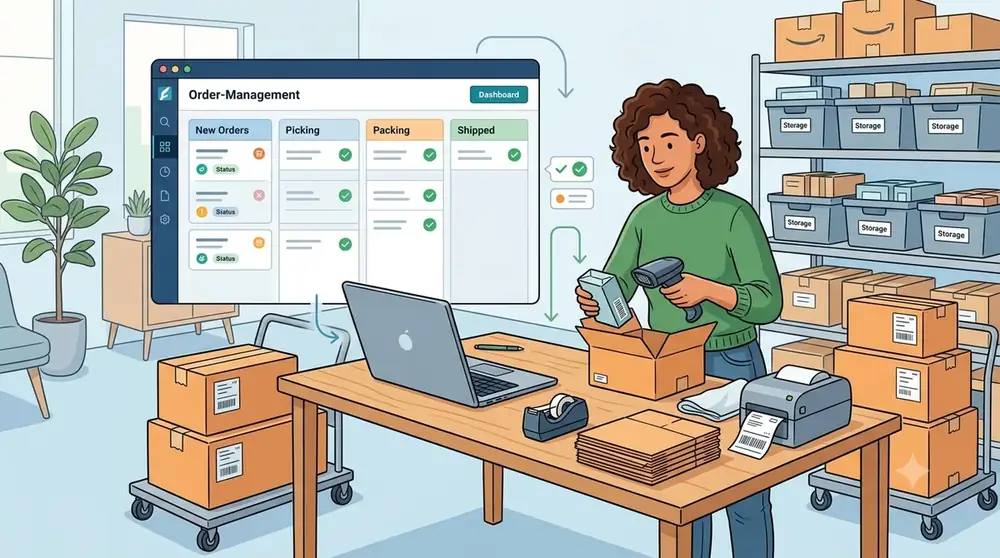
How to Manage Online Store Orders More Accurately
A practical guide to organizing orders, inventory, fulfillment, payments, shipping, returns, and customer communication as your online store grows.
A missed payment, wrong SKU, or late tracking email can turn one order into a refund, support ticket, and lost customer. That’s why how to manage orders for an online store matters well beyond shipping. Your process affects inventory accuracy, fulfillment speed, cash flow, customer trust, and repeat purchases.
As order volume grows, weak systems become clear. Spreadsheets fall out of date, inboxes hide urgent requests, and separate sales channels create duplicate records. Baymard Institute’s September 2025 research puts average online cart abandonment at 70.22%, with high extra costs and slow delivery among leading reasons shoppers leave. A clear order process helps prevent problems before checkout and after the sale.
Build a Clear Order Management Workflow
An order needs a defined owner, status, trigger, and next action at every stage. The full lifecycle runs through checkout, payment, inventory allocation, picking, packing, shipping, delivery, returns, and reporting. Consistent steps make delays easier to find and exceptions easier to fix.
Capture and Verify Every Order Automatically
Your standard order record should include the order ID, customer name, email, billing and shipping addresses, SKU, variant, quantity, discount, tax, shipping method, payment status, fulfillment status, inventory location, tracking number, and communication history.
Automated confirmations should follow checkout. Payment checks, address validation, inventory checks, and fraud screening can stop common errors before warehouse staff touch the order. Keep the record in one system instead of splitting details across email, spreadsheets, and marketplace pages.
Use Statuses and Exception Rules
Use plain statuses such as Pending Payment, Paid, On Hold, Ready to Pick, Packed, Shipped, Delivered, Canceled, and Returned. Avoid vague labels such as “open” or “processing,” since different teams may interpret them in different ways.
The payment system should update payment status, warehouse staff should update pick and pack stages, and carrier data should update shipment stages. Create an exception queue for failed payments, suspected fraud, overselling, wrong addresses, partial shipments, damage, backorders, and carrier delays. Give each case a priority, owner, deadline, and customer contact requirement.
Centralize Orders Across Channels and Locations
A website, marketplace, social channel, retail store, and wholesale account can each create orders in different formats. Without connected systems, you risk duplicate orders, conflicting stock counts, duplicate customer profiles, and inconsistent tax or discount records.
Create One Order View
An order management system or integrated ecommerce dashboard should bring every order into one searchable workspace. Product SKUs, customer profiles, taxes, discounts, payment status, and fulfillment status should remain consistent across channels.
Choose one source of truth for order status. Staff should not update a spreadsheet, marketplace dashboard, and email thread separately. A saved order record should show the latest action and the person or system that made the change.
Synchronize Inventory and Route Orders
Inventory updates should happen in real time when possible, or on a reliable schedule when real-time updates aren’t available. Track reserved stock, safety stock, stock adjustments, and inventory held at each warehouse. Duplicate SKU names and inconsistent product variants can cause overselling even when your total stock count looks correct.
Give every product and variant a unique SKU across all connected systems. Route orders based on available stock, customer location, shipping cost, promised delivery speed, warehouse capacity, and handling needs. Rules should cover local delivery, domestic and international shipping, oversized goods, hazardous products, and backorders.
Split shipments can help when items sit in different locations. Tell customers which items ship separately, include every tracking number, and show separate delivery dates.
Reduce Picking, Packing, and Shipping Errors
Fulfillment mistakes create replacement costs, refunds, poor reviews, and extra support work. A written warehouse process is safer than relying on what one experienced employee remembers.
Pick With Scannable Procedures
Single-order picking suits low volume. Batch picking works well when many orders contain the same products, while zone picking assigns workers to set warehouse areas. Wave picking groups orders by time, carrier, location, or service level.
Use barcode scanning or SKU checks to confirm the product, variant, and quantity. Pick lists should show product images, SKU codes, bin locations, quantities, and special handling notes. Record shortages at the pick stage instead of sending incomplete orders without review.
Pack, Label, and Notify
Choose packaging based on fragility, size, temperature needs, return requirements, and shipping distance. A packing check should confirm the items, quantity, inserts, documentation, label, and address before the package is sealed.
Shipping software can compare carrier services, create labels, assign tracking numbers, and send updates to your store. Maintain a carrier matrix with cost, delivery speed, package limits, insurance, and geographic coverage. Send order confirmation, shipping, tracking, delivery, and delay messages at the right moments.
Make Payments and Customer Communication Reliable
Order management continues after checkout. Payment verification, fraud review, customer updates, and financial reconciliation all determine whether an order can move safely to fulfillment.
Control Fulfillment With Payment Status
Separate authorized, captured, pending, failed, refunded, partially refunded, and disputed payments. Only release orders that meet your payment rules. A high-value order, mismatched billing and shipping details, or repeated payment attempts may require review, but these signals are not proof of fraud.
Set clear rules for automatic release, manual review, cancellation, and escalation to a payment specialist. Record the reason for each hold and the person who approved release.
Give Support Teams Full Order Context
Customer service staff need one view of order history, payment status, shipment details, inventory notes, discounts, prior contacts, and return activity. Internal notes should be clear and visible only to permitted users. Audit trails help resolve refund disputes, chargebacks, replacements, and delivery claims.
Create reusable messages for orders received, payment confirmed, delays, shipment, attempted delivery, delivery, and return completion. Each message should include the order number, current status, next step, expected timing, support contact, and tracking link when available. Saved views can flag urgent orders, overdue shipments, failed payments, high-value customers, and unresolved returns.
Process Returns, Refunds, and Exchanges With Control
Returns are part of order management, not an improvised support task. They affect stock counts, cash flow, financial reports, product quality, and customer retention. NRF’s October 2025 retail returns report estimated that 19.3% of online sales would be returned in 2025 and found that 82% of consumers consider free returns important.
Publish a Clear Return Policy
State the eligibility window, product condition, exclusions, final-sale rules, return shipping costs, international terms, refund timing, exchange process, and treatment of damaged or defective items. Use plain language and show the policy before purchase, in the order confirmation, and in post-purchase messages.
Examples can explain how the policy applies to common cases. Keep them consistent with what staff and systems can enforce.
Track Each Return to Resolution
Use a workflow with these stages: request submitted, approved or denied, label issued, item in transit, item received, inspection completed, refund or exchange approved, and case closed.
Assign a return authorization number and record the reason code, inspection result, condition grade, and final resolution. Useful reason codes include sizing, product quality, inaccurate description, packaging damage, and carrier damage. Resellable items should return to available stock, while damaged, repairable, liquidated, supplier-returned, and written-off items need separate inventory outcomes.
Match refunds, partial refunds, store credits, replacement orders, restocking fees, and payment records to the original order. Reconcile ecommerce, payment, inventory, and accounting records on a set schedule.
Measure Order Performance as the Store Grows
Reports show where the process loses time or money. Review trends each week instead of reacting to one unusual order.
Track the Metrics That Matter
Monitor order accuracy, fulfillment time, order cycle time, on-time shipment, on-time delivery, cancellation rate, stockout rate, return rate, refund processing time, shipping cost per order, and support contacts per order.
Accuracy evaluates warehouse work, cycle time shows the full order flow, and on-time delivery helps separate internal delays from carrier problems.
A weekly dashboard should identify whether delays come from staff capacity, carriers, customers, payment issues, or inventory shortages. Review products that are often delayed, returned, canceled, or shipped incorrectly first.
Use Data and Automation Carefully
Order volume, product demand, seasonal patterns, regional sales, and workload can guide purchasing, warehouse layout, staffing, and carrier choices. Treat holiday sales, promotions, new products, supply disruptions, and channel growth as unusual events when comparing data.
Automate order imports, payment updates, stock synchronization, low-stock alerts, labels, invoices, tracking emails, and return notices. Add error alerts, approval limits, audit logs, and a manual backup process. Automate one workflow at a time, then measure time saved and errors reduced before adding another.
Conclusion: Create an Order System Customers Can Trust
Effective online store order management connects order data, inventory, fulfillment, payments, communication, returns, and reporting. Clear statuses show who acts next. Accurate SKUs prevent stock errors. Scanning, packing checks, tracking messages, and return records protect both margins and customer trust.
Start by auditing the current order lifecycle. Find the most costly bottleneck, document the improved process, connect the tools that need to share data, and measure results during the next reporting cycle. Technology supports the system, but clear ownership, accurate information, and repeatable procedures make it work at scale.
Manage Your Business More Efficiently
QuickGENBiz brings useful business management tools together to help small businesses manage invoices, inventory, customers, and day-to-day operations.
Frequently Asked Questions
What is the most important first step?
Start with one clear, measurable improvement related to this topic, then review the result regularly.
How often should a small business review this?
A monthly review is a practical starting point. Review sooner when costs, customers, products, or processes change significantly.
Can software replace business judgment?
No. Software can organize information and automate repeatable work, but people should verify important information and make final decisions.