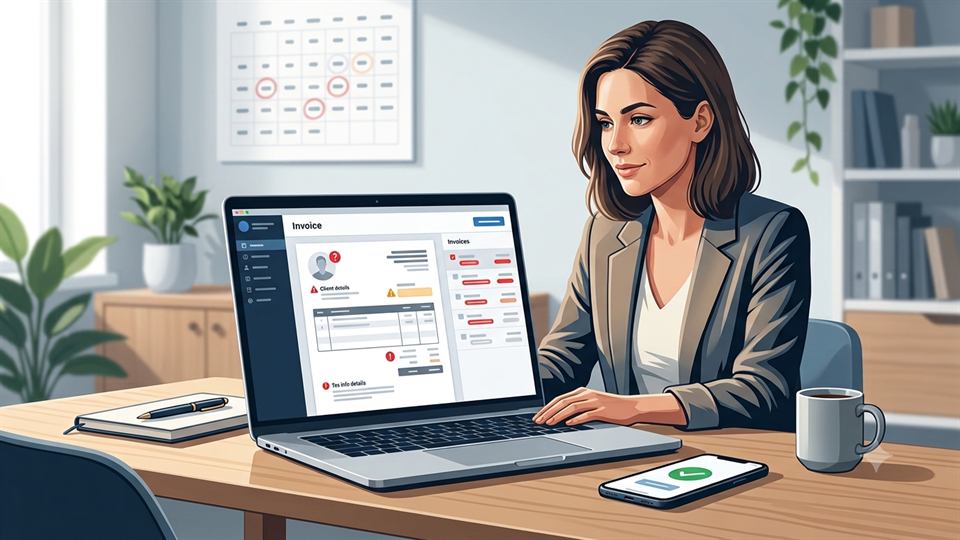
7 Common Invoice Mistakes Small Businesses Make and How to Get Paid Faster
Small invoice mistakes can cause payment delays, unnecessary disputes, and uneven cash flow. Learn how to avoid the most common invoicing problems and build a more reliable payment process.
A missing invoice number, unclear due date, or wrong billing contact can delay payment for weeks. Invoicing may feel like routine admin work, but small errors can lead to disputes, extra emails, and uneven cash flow.
Many small businesses rely on old templates, manual data entry, or informal payment agreements. The good news is that most common invoice mistakes are easy to prevent with clear templates, checklists, and basic automation. A reliable invoicing process helps customers approve bills faster and gives you a clearer view of incoming revenue.
Key Takeaways
- ✓ Use a consistent invoice template with all essential business and customer details.
- ✓ Double-check prices, quantities, discounts, taxes, and calculations before sending.
- ✓ Make payment terms, exact due dates, and payment instructions easy to find.
- ✓ Keep invoices connected to contracts, quotes, receipts, corrections, and payment records.
- ✓ Automate repetitive reminders while keeping human review for unusual or high-value invoices.
- ✓ Track overdue invoices consistently instead of relying on memory or informal follow-ups.
How to Avoid the 7 Common Invoice Mistakes Small Businesses Make
Missing essential details and invoice identifiers
Every invoice should answer four questions right away: who is billing, who owes the money, what was provided, and how much is due. Include your legal business name, address, email, phone number, customer billing details, invoice date, invoice number, service period, and tax or registration details that apply to your business.
Accounts-payable teams may reject or delay an invoice with missing information. Duplicate invoices, skipped invoice numbers, and inconsistent formats can create more confusion. A client may wonder if a replacement invoice is a new charge or a correction.
Invoice numbering example
Create one standard template with required fields. Use a consistent sequence, such as
2026-001, 2026-002, and 2026-003. Before sending
a replacement, check your accounts-receivable records and label it as a corrected invoice
when needed.
Incorrect prices, quantities, or calculations
Errors in hourly rates, quantities, discounts, deposits, tax, subtotals, or totals can damage trust. Even a small mismatch may cause a customer to question the entire bill or send it back for review.
Compare each invoice with the signed quote, contract, purchase order, timesheet, or delivery record. Invoicing software can calculate totals automatically, but you should still review unusual charges and contract changes before sending. Automatic math cannot tell whether you entered the correct rate or quantity.
Vague descriptions of products or services
"Consulting," "design work," or "services rendered" may not give a customer enough detail to approve payment. A useful description names the work, dates, deliverables, hours, quantities, rates, project phase, or related purchase-order number.
Match the wording on the invoice to the proposal or contract. For example, "Website wireframes, project phase two, 12 hours at $90 per hour" gives the customer a clear basis for approval. Clear descriptions reduce questions and help both sides resolve disputes.
Make Pricing and Payment Terms Easy to Approve
Unclear payment terms, due dates, or late fees
An invoice date is not the same as a payment due date. State the exact deadline and explain the agreed terms, such as due on receipt, Net 15, or Net 30. "Please pay promptly" leaves too much room for interpretation.
Place the due date, accepted payment methods, and late-payment policy in a visible section. List fees, interest, grace periods, or collection charges only when the contract and applicable law allow them. Tax and legal rules vary, so confirm unusual terms with a qualified professional.
Why payment terms matter
Clear payment terms reduce ambiguity about when money is expected and can make it easier for customers to route invoices through their approval process.
Clear payment terms matter because delays can affect hiring, purchasing, and daily expenses. The 2025 Intuit QuickBooks late-payments report found that 56% of surveyed US small businesses reported money owed from unpaid invoices. The survey covered 2,487 businesses with up to 100 employees, so its results are useful context, not a universal benchmark.
Making customers work to find a way to pay
An approved invoice can still sit unpaid if the customer cannot find your payment link, bank details, mailing instructions, card option, or remittance information. Put your preferred payment method near the total and repeat key instructions in the email that delivers the invoice.
Offer payment options that suit your customers. Online payments may work well for consumer services, while larger clients may require bank transfers or a customer portal. Protect your business against payment fraud by verifying any bank-detail change through a trusted channel. Never rely on a new account number included in an unexpected email.
Prevent Tax, Compliance, and Recordkeeping Problems
Applying the wrong tax or hiding required transaction details
Tax treatment can depend on your location, registration status, customer type, and the product or service sold. Common mistakes include charging tax when it does not apply, failing to charge it when required, using the wrong rate, or showing tax without naming the category.
Some transactions also need a purchase-order number, tax identification number, exemption certificate, service date, shipping detail, or special cross-border wording. Maintain current tax settings in your invoicing system and record why a transaction is taxable or exempt. When one template cannot meet every rule, create separate templates for customer groups or jurisdictions.
Treating invoices as isolated documents
An invoice belongs with the contract, quote, timesheet, receipt, credit note, payment confirmation, and customer emails that support it. Poor records make tax preparation, audits, disputes, and revenue tracking harder.
The
Internal Revenue Service recordkeeping guidance
explains that invoices and receipts support entries in business books. It also says
records should be organized and kept in a safe place. Use clear file names, such as
2026-001_ClientName_Invoice.pdf, back up files, restrict access, and follow
the retention rules that apply to your location and business.
Follow Up Consistently and Correct Errors Properly
Sending invoices late or to the wrong contact
Waiting until the end of the month can delay payment even when your agreement allows earlier billing. Send the invoice when the work reaches the agreed billing point, and confirm whether the customer needs an accounts-payable inbox, portal upload, purchase-order match, or special file format.
Ask about the client's billing process during onboarding. Record the correct contact, submission deadline, approval steps, and required documents. For government work, the Small Business Administration's guidance on governing rules and responsibilities notes that contracts contain invoicing instructions and that accurate invoices can support faster payment.
Failing to track overdue invoices or preserve corrections
Memory is not a collection system. Track invoices as upcoming, due, overdue, disputed, paid, or under an agreed payment plan. Schedule a receipt confirmation, a reminder before the deadline, a due-date message, and a follow-up after nonpayment. Ask for a payment status and record every dispute or promise to pay.
Do not silently edit an invoice after issuing it. Depending on your accounting system and local rules, use a void, credit note, or corrected invoice. Keep the original, the reason for correction, the replacement document, and the customer communication in one audit trail.
Simple invoice status workflow
Before payment
- • Upcoming
- • Due
- • Disputed
After due date
- • Overdue
- • Payment plan
- • Paid
Build a Repeatable Invoicing System
Create a pre-send invoice checklist
A short review catches mistakes before they reach the customer. Check the following items before every invoice:
Pre-send checklist
When several people create invoices, assign one person to complete the final review. A second look is especially useful for large projects, new customers, changed contracts, and tax-exempt sales.
Automate repetitive tasks while keeping human review
Invoicing tools can calculate totals, create recurring bills, send reminders, record payments, and connect with accounting software. These features reduce data entry and make overdue accounts easier to spot.
Automation still needs testing. Check payment links, email addresses, tax settings, recurring dates, reminder timing, and customer-specific terms before turning on a workflow. Review unusual charges and contract changes yourself.
Review invoice performance each month
Measure average days to payment, late-payment rates, disputed invoices, correction frequency, outstanding receivables, and collection costs. These figures can show whether delays begin with invoice delivery, customer approval, payment methods, pricing, or follow-up.
| Metric | What it can reveal |
|---|---|
| Average days to payment | How quickly customers normally pay |
| Late-payment rate | How often invoices pass their due dates |
| Disputed invoices | Potential problems with pricing, descriptions, or terms |
| Correction frequency | How often invoice information needs fixing |
| Outstanding receivables | How much expected revenue remains unpaid |
Use the results to improve the process. If many customers ask for missing purchase-order details, add that field to your template. If invoices go overdue despite clear terms, review your reminder schedule and payment options.
Conclusion
The seven common invoice mistakes include incomplete information, calculation errors, vague descriptions, unclear terms, difficult payment instructions, tax or recordkeeping problems, and weak follow-up or correction processes. Each one can slow approval and make revenue harder to predict.
Start with one accurate template. Check every invoice against the agreement, show the due date clearly, provide secure payment options, automate reminders, and review overdue accounts on a set schedule. A dependable invoicing process turns completed work into reliable revenue, reduces disputes, and builds customer trust.
Make invoicing easier
A structured invoicing workflow can help you keep customer information, invoice records, payment status, and business activity organized in one place.
Explore QuickGENBizFrequently Asked Questions
Quick answers to common questions about avoiding invoice mistakes.
What information should every invoice include?
At a minimum, include the business and customer details, invoice number, invoice date, service period, description of the products or services, applicable taxes, amount due, payment terms, and exact due date.
How can unclear invoice descriptions delay payment?
Vague descriptions may make it harder for a customer to confirm what was purchased or completed. Detailed descriptions with dates, quantities, deliverables, rates, or project phases give customers a clearer basis for approval.
Should the invoice show an exact payment due date?
Yes. An exact calendar deadline is clearer than a general request such as "please pay promptly." Terms such as Net 15 or Net 30 should be consistent with the agreed payment terms.
Should businesses automate invoice reminders?
Automation can help with recurring invoices, payment reminders, payment recording, and overdue tracking. However, payment links, customer-specific terms, tax settings, and unusual charges should still be reviewed by a person.
What should I do if an issued invoice contains an error?
Do not silently change an issued invoice. Depending on your accounting system and applicable rules, use a void, credit note, or corrected invoice and keep the original document, reason for correction, replacement, and related customer communication together.