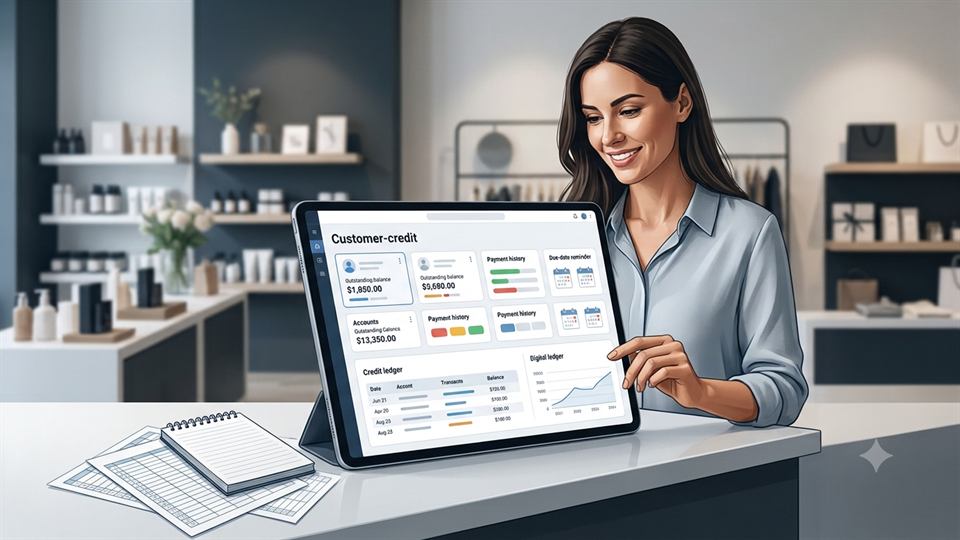
A missed credit sale can turn into a missing payment, a disputed balance, or a cash-flow problem. When records stay in a notebook, pages go missing, payment dates get forgotten, and no one knows the customer's true balance.
A digital customer credit tracking system keeps customer profiles, credit sales, repayments, due dates, and balances in one place. You don't need complex accounting software to replace a paper ledger or make daily records easier to check.
The best approach is practical: choose a tool that fits your work, create one clear process, record every transaction at once, review overdue credit, and protect customer information.
Replace Manual Credit Records With a Centralized Digital System
Paper records may work for a few customers. As credit sales increase, they make it harder to see what customers owe and when they should pay.
Why Notebook-Based Credit Tracking Breaks Down
Notebook entries often depend on rushed handwriting and memory. A page may be lost, a receipt may never get attached, or a repayment may be written in the wrong place.
Checking one customer's current balance can also take several minutes. Staff must search through old pages, add past sales, subtract payments, and hope no transaction was missed. That process creates confusion during customer disputes.
Why Excel Requires More Maintenance Than Most Small Businesses Expect
Excel can calculate balances, but someone must enter every sale, repayment, due date, and status correctly. A deleted formula, wrong cell reference, or copied value can produce an incorrect customer balance without an obvious warning.
Spreadsheets can also create version conflicts when several employees edit separate files. Limited mobile access can lead to delayed updates, while an old file may remain on a phone or computer after the main record changes.
What a Digital Customer Credit Tracker Should Store
Each customer record should include the customer's name, phone number, transaction date, items or invoice reference, credit amount, repayment amount, remaining balance, due date, payment status, and notes.
The system should calculate the balance from recorded transactions instead of relying on manual arithmetic. The IRS recordkeeping guidance explains that businesses can choose a recordkeeping system that fits their needs as long as it clearly shows the required financial information.
Simple Customer Credit Example
| Customer | Sale | Paid | Credit | Remaining |
|---|---|---|---|---|
| Rahul | ₹5,000 | ₹2,000 | ₹3,000 | ₹3,000 |
| Priya | ₹3,500 | ₹1,500 | ₹2,000 | ₹2,000 |
Choose a Credit Tracking Tool That Matches Your Daily Workflow
The right tool depends on your business size, transaction volume, staff access, devices, reports, and budget. A shop with one owner may need a mobile digital credit book, while a growing company may need invoicing and accounting features.
Use a Mobile Credit Book or Customer Ledger App
A customer ledger app can replace a paper credit book on a phone or tablet. You can create customer profiles, record credit sales, log repayments, check balances, and send reminders while serving customers.
This option suits small shops, wholesalers, service providers, and teams that need quick entries. Choose an app that works well during busy periods rather than one with features your staff will rarely use.
Connect Credit Tracking With Invoicing or Accounting Software
Invoicing or accounting software fits businesses that need formal invoices, payment reconciliation, tax records, financial reports, or payment-system links. It can connect a credit sale with an invoice and keep accounts receivable tracking closer to the main books.
A separate customer balance tracker may be enough for informal credit sales. If the business has many invoices, multiple staff members, or several payment channels, one connected system can reduce repeated data entry.
Check for Essential Features Before Switching Tools
Look for cloud backup, offline access, user permissions, transaction history, automatic balance calculations, payment reminders, search, receipts, export options, and clear data security terms.
Confirm that you can retrieve your records if you stop using the service. Test the tool with a few real customer accounts before importing everything. The best choice is the one employees can use correctly at the point of sale.
Build a Reliable Customer Credit Tracking Workflow
A digital tool only works when everyone follows the same process. Set one routine that begins with customer approval and ends when the balance reaches zero.
Create a Complete Profile for Every Credit Customer
Record the customer's full name, phone number, preferred payment method, agreed payment terms, credit limit, and useful account notes. Use one profile per customer so sales and repayments never split across duplicate records.
Record Credit Sales Immediately After the Transaction
Enter the sale before moving to the next customer. Record the date, products or services, total price, amount paid upfront, credit amount, due date, and invoice or reference number.
For example, a ₹3,000 sale with a ₹1,000 deposit should create a ₹2,000 outstanding balance. Recording that amount immediately prevents the common mistake of treating the full sale as unpaid.
Log Every Repayment Against the Correct Transaction
Add each payment as soon as you receive it. Include the payment date, amount, payment method, reference, and new remaining balance.
Partial payments need extra care. If a customer pays ₹750 toward a ₹2,000 balance, the record should show ₹1,250 still due instead of creating a separate note that staff may forget to connect.
Monitor Outstanding Credit Before It Becomes Overdue
A digital system turns credit records into an active follow-up process. It shows which customers are current, which balances need attention, and how much money is likely to arrive soon.
Organize Balances by Due Date and Payment Status
Use clear labels such as current, due soon, overdue, partially paid, and paid in full. Filters can show every balance due this week or every account that has passed its deadline.
A dashboard or aging view helps you focus on priority accounts. Review the list before placing new stock orders or making spending decisions.
Set Clear Credit Limits and Payment Terms
Write down the credit limit, due date, deposit rule, and payment methods before approving a sale. For new customers, you may require a deposit or offer a shorter repayment period.
A credit limit prevents one customer from building a balance that places too much pressure on your cash. Review the limit when payment habits change.
Use Payment Reminders Without Damaging Customer Relationships
Send a polite reminder before the due date, another on the due date, and a direct follow-up after a missed payment. Include the original sale, current balance, deadline, and available payment options.
Keep the tone factual and respectful. Consistent reminders feel more professional than an unexpected demand sent weeks after the payment was due.
Use Customer Credit Data to Improve Cash Flow and Decisions
Organized credit data shows more than individual balances. It can reveal payment habits, risky accounts, and the amount of cash tied up in unpaid sales.
Identify Late-Payment Patterns
Review the transaction history for customers who pay late, request repeated extensions, or make frequent partial payments. These patterns may support shorter terms, a higher deposit, or a temporary pause on new credit.
Also check whether delays come from unclear invoices or missing payment instructions. A process problem should not automatically be treated as a customer problem.
Review Total Outstanding Credit Regularly
Set a weekly review for active businesses or a monthly review for lower-volume operations. Check total unpaid credit, overdue amounts, balances due soon, and the age of each open account.
Good records can help businesses monitor progress and prepare financial information. A regular review makes those records useful for cash planning, not only for tax work.
Decide When to Pause or Adjust Credit
Pause additional credit when a customer reaches the agreed limit, misses a payment, exceeds the repayment period, or avoids contact. You can also request a deposit before approving another sale.
Record the decision and the reason in the customer profile. Staff should see the same terms and avoid granting exceptions without approval.
Protect Customer Credit Records and Keep Them Accurate
Moving away from paper does not remove the need for control. Customer phone numbers, payment details, and account histories should receive careful protection.
Restrict Access to Sensitive Customer Information
Give each employee access based on their role. Sales staff may need to record transactions, while managers may be the only people allowed to change credit limits or delete entries.
Use strong, unique passwords, lock business devices, and turn on multi-factor authentication when available. The Federal Trade Commission's small-business security guidance recommends measures such as limiting access, backing up files, and protecting devices.
Back Up and Export Credit Data
Choose a system with automatic backup, then export records at regular intervals when possible. Store exports in a secure location and check that customer names, transactions, balances, and dates remain readable.
Also create a recovery plan. Staff should know who can restore access and where the latest usable copy is stored.
Reconcile Digital Records With Payments and Receipts
Compare the credit tracker with the cash register, bank account, mobile-money records, invoices, and receipts. Reconciliation can expose a missing payment, duplicate entry, or sale that was never recorded.
Do this review on a set schedule. Fix errors by adding a clear correction or adjustment rather than silently deleting the original transaction.
Conclusion
Reliable customer credit tracking depends on a centralized system, immediate updates, and regular follow-up. Create customer profiles, record every credit sale, log each repayment, monitor due dates, send reminders, review overdue balances, and protect the data.
The best digital credit book may be a mobile ledger app, an invoicing platform, or a full accounting system. Start by moving active customer balances into the new tool, verify every opening balance, and record each new credit transaction digitally from the next sale.
Manage your business without the usual hassle.
Keep your invoices, products, sales, customer credits, and business records organized in one place.
Tags
Frequently Asked Questions
Common questions about tracking customer credit digitally.
What is customer credit tracking?
Customer credit tracking is the process of recording credit sales, repayments, due dates, and remaining customer balances so a business can monitor unpaid amounts accurately.
Can I track customer credit without Excel?
Yes. A digital customer ledger, credit book, invoicing system, or accounting application can track customer credit without requiring a spreadsheet.
What information should a customer credit record contain?
A useful credit record can include the customer's name, phone number, transaction date, invoice or reference number, credit amount, repayments, remaining balance, due date, payment status, and notes.
How can I prevent customers from forgetting their payments?
Set clear payment terms, monitor due dates, and send polite reminders before or after payments become due. Keeping accurate transaction records also makes follow-ups easier.
How often should a business review outstanding credit?
Businesses with frequent credit transactions can review outstanding balances weekly, while lower-volume businesses may review them monthly.